Why we’re building Nohead
Every content system we tried asked us to give something up: off-the-shelf CMSs, content in git, even building our own with an agent. So we’re building the one we kept wishing for.
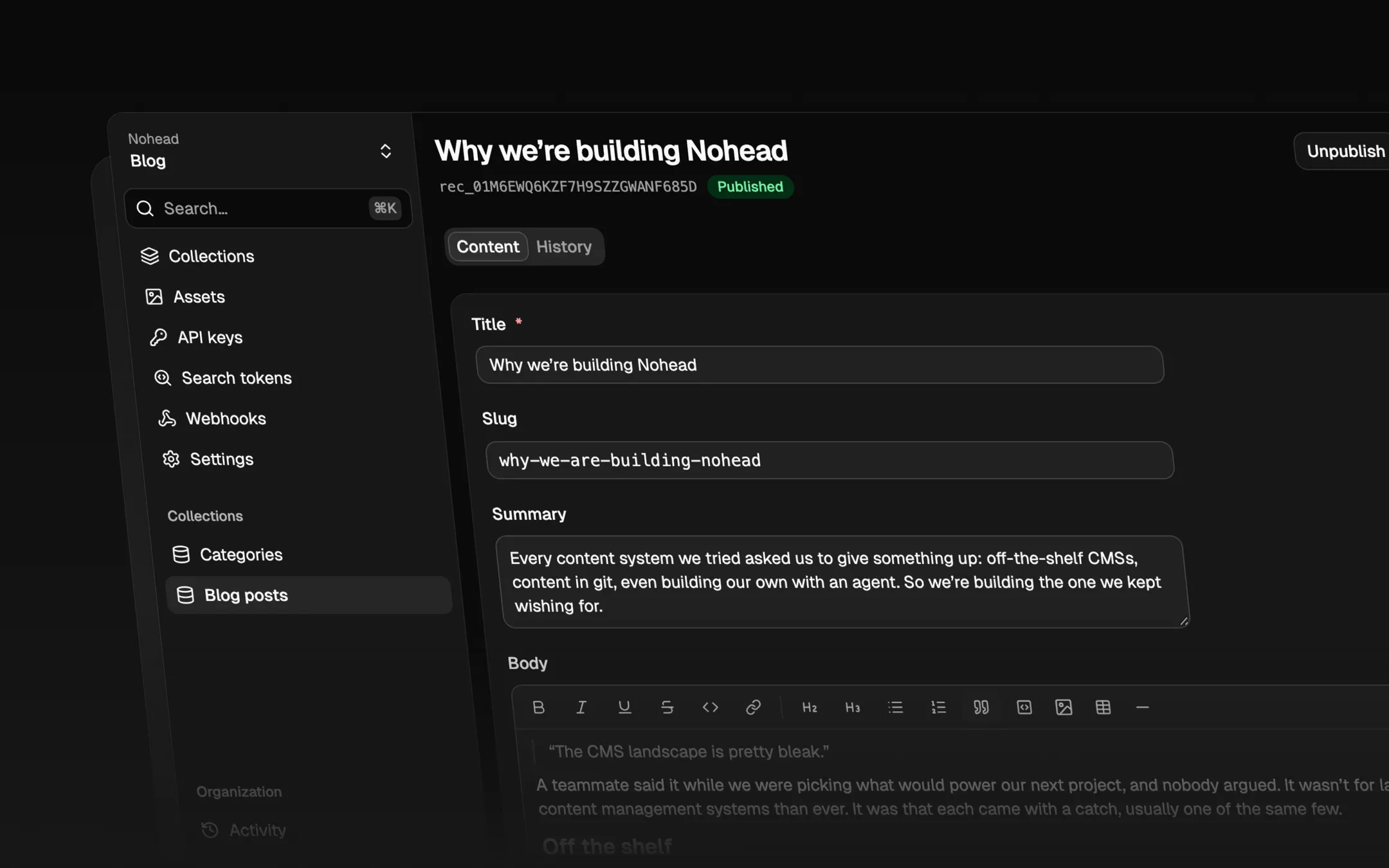
“The CMS landscape is pretty bleak.”
— A teammate, discussing what to power our next project
It wasn’t for lack of choice: there are more content management systems than ever. It was that each came with a catch, usually one of the same few.
Off the shelf
Some had an editor people dreaded writing in. Others were pleasant enough but only understood pages and posts, so anything else had to be dressed up as a page: a product catalog, a list of job openings, the settings behind an app. Images could be uploaded, but resizing and delivering them was somebody else’s problem.
The capable ones were heavy. Weeks to learn, a platform to run, and usually an opinion about the whole site: its themes, its routing, its page builder. Many of them were built for a single website. The moment an app, a script or an agent needed the same content, the API was an afterthought, or ours to build. Where there was AI at all, it was a chat box in the sidebar.
And then the price: seats, locales, environments and API calls, each metered on its own, until the system holding the content cost more than the product it served.
But git?
So we did what plenty of teams do. We kept the content in the repository as Markdown files, with an open-source editing interface on top.
It worked well enough to ship. Living with it was another matter. Every edit went through the same process as code: fixing a typo meant a pull request, a wait for CI, a review and then a build. Anyone with a post to publish needed write access to the codebase, and a paid seat with our host, since their commits triggered deploys.
The content itself fared no better. Editors still wrote raw Markdown and front matter, where one stray colon breaks a page. A post pointed at its author by filename and trusted that the file was there; nothing checked. Images sat next to the code at whatever size they came in, and every version of every image stayed in the repository’s history for good.
Git is excellent at what it was built for: code changes, made by developers. Content is changed by different people, at a different pace, for different reasons.
But vibe coding?
There’s a third option now: describe what you need to an agent and let it build you a content system. We build with agents every day, and an afternoon really does get you something that works.
Something that works is the easy part. A content system lives in its details: validation, permissions, history, uploads, two people editing the same record. Around it sits the infrastructure: hosting, a database, file storage, image processing, a CDN. Then come the ways the content gets out: an API for your site and apps, a search index, access for agents. All of it has to be kept running, patched and backed up, long after that afternoon.
What we’re building instead
Nohead is the content system we kept wishing for, and more: a data layer for your apps, agents and website, structured like a database and comfortable to write in like a CMS. You define your data as collections of typed fields, and everything around it comes in one place:
a web editor for the people who write, with roles instead of repository access
a REST API with a public OpenAPI contract, and SDKs for TypeScript, Python and Ruby
a CLI and an MCP server, so scripts and coding agents work with your data too
webhooks, so your site rebuilds or your app reacts when content changes
file storage behind a CDN, with images resized and converted by URL
search with typo tolerance and filters, through the API or straight from your site
version history for every record and every schema change, including which client made it
The rule that holds it together:
Everything the editor does with content and schema can also be done through the API, the CLI, the SDKs or MCP.
The editor is just another client, and so is an agent: it uses an API key with the scopes you give it, goes through the same validation as a person, and every change it makes is attributed to it in the history.
It’s also deliberately not your whole backend: no page builder, no end-user accounts or arbitrary SQL, and no built-in AI you didn’t ask for.
Off-the-shelf CMS | Git | Build your own | Nohead | |
|---|---|---|---|---|
Editing for non-developers | Varies | Repository access | Build it | Yes, with roles |
Data beyond pages | Squeezed into pages | Files, by convention | Yes | Any collection |
Relationships | Varies | Filenames, unchecked | Build it | Checked on save |
Images and files | Often add-ons | In the repository | Build and host | Included |
Search | Often basic | A separate service | Build and host | Included |
History of every change | Varies | Commits | Build it | Content and schema |
An API for apps and agents | Second to the editor | Build it | Build it | API, SDKs, CLI, MCP |
Who keeps it running | Them, or you | You and your host | You | We do |
From zero to an API
A backend for your data is a few commands away:
nohead login
nohead collections create posts
nohead fields add posts title --type text --required
nohead fields add posts body --type rich-text
And your site reads it like any other API:
import { Nohead } from "@nohead/sdk"

const nohead = new Nohead({ richText: "html" }) // reads NOHEAD_API_KEY

for await (const post of nohead.records.list("posts")) {
  console.log(post.data.title)
}
This blog runs on exactly that. Its posts live in a Nohead project, and the site reads them at build time with a published-only key, so a draft never reaches the page.
Your data stays yours
Everything you put in can come back out. nohead export writes plain files: your schema as YAML, one JSON Lines file per collection, and, if you ask, every original file and every record’s history. The SDKs and the CLI are MIT-licensed. The engines underneath are named rather than hidden: search runs on Meilisearch and images on imgproxy, so your site uses their own documented options, not a wrapper we made up.
Where to start
Quickstart: create a project, publish a record and fetch it from your code
The editor: what writing in Nohead looks like
Agents: coding agents and your own, working with your data
Docs: guides, the SDKs and the API reference
Pricing: the plans, including Free
Sign-up is open. If you’ve ever called the CMS landscape bleak yourself, we’d love to hear what you were looking for: write to hello@nohead.io.